FAQs: Campaigns, Events, Text & Email Broadcasts
Communication Preferences
Contacts must give their consent to receive text messages as required by the Telephone Consumer Protection Act (TCPA). Swivel keeps a record of each contact’s response to the opt-in message, including date and time received, on their contact record.
Communication Preferences for Contacts
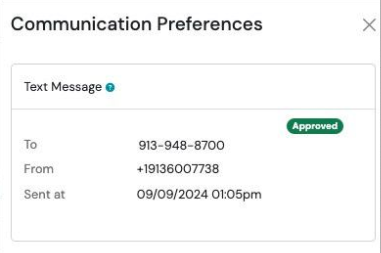
Section titled “Communication Preferences for Contacts”Once the contact grants consent or opts in, a green Approved badge will display in their Communication Preferences.
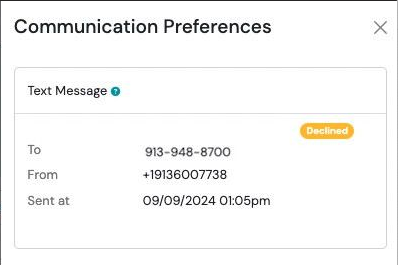
If the contact does not give consent, or opts out, a yellow Declined badge will display in their Communication Preferences.
View Contact Communication Preferences
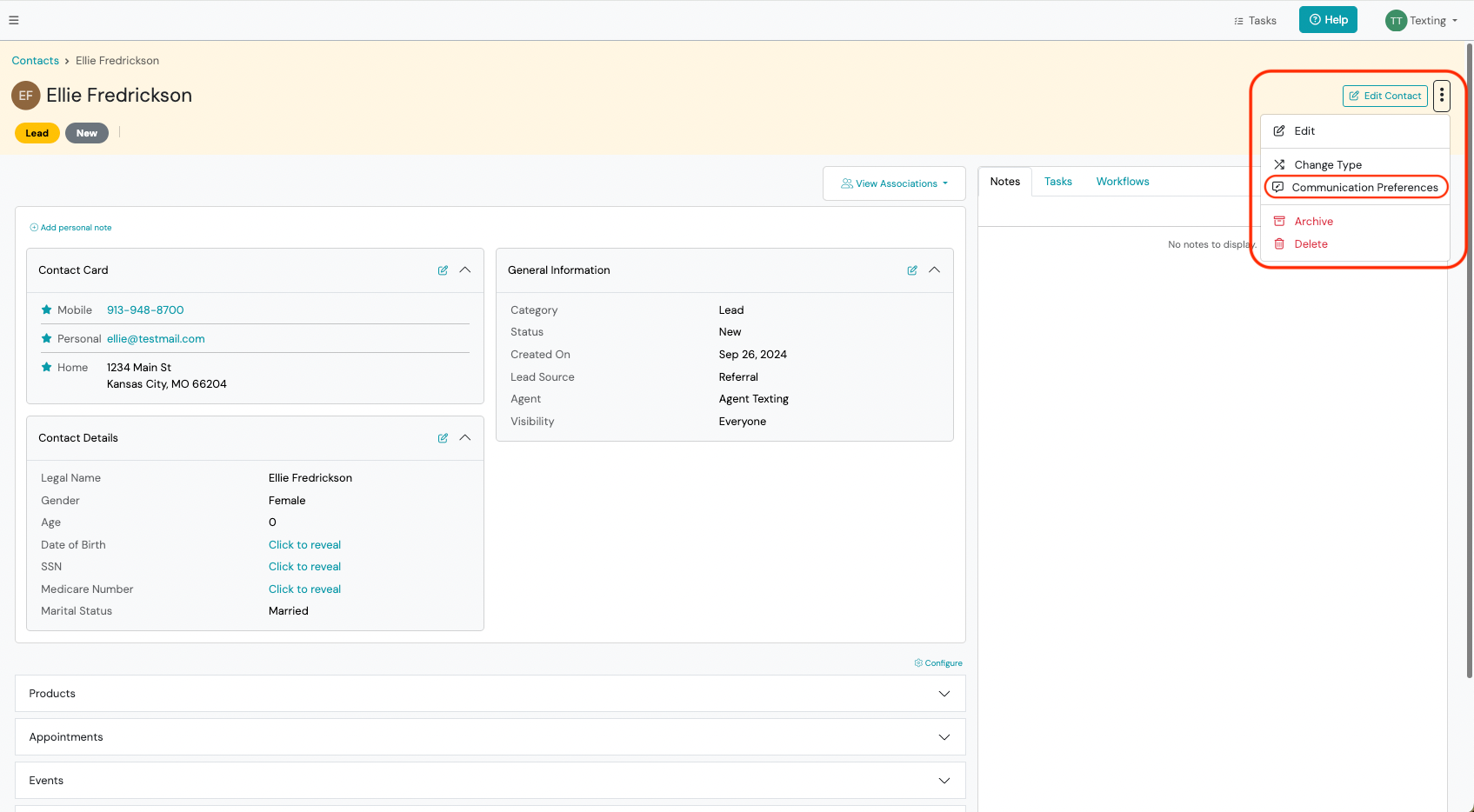
Section titled “View Contact Communication Preferences”- Navigate to the desired contact’s show page.
- Click the Action Menu at the top right corner > click Communication Preferences.
Send Opt-In from Contact’s Communication Preferences
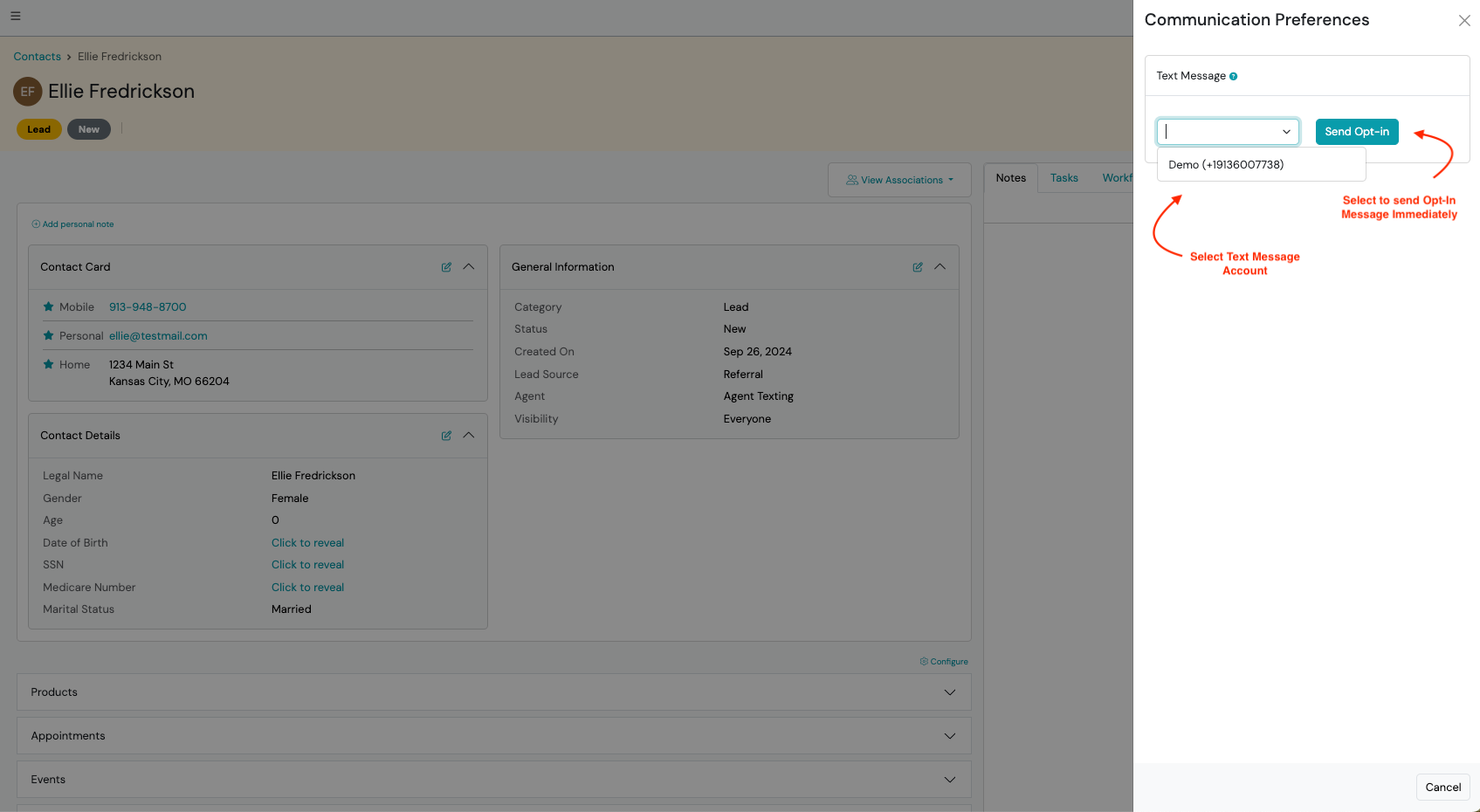
Section titled “Send Opt-In from Contact’s Communication Preferences”- Navigate to the desired contact’s show page.
- Click the Action Menu at the top right corner > click Communication Preferences.
- Select the your Text Message Account Phone Number > click Send Opt-In button.