

Dashboard Widgets
Swivel Dashboard
Dashboard Widgets
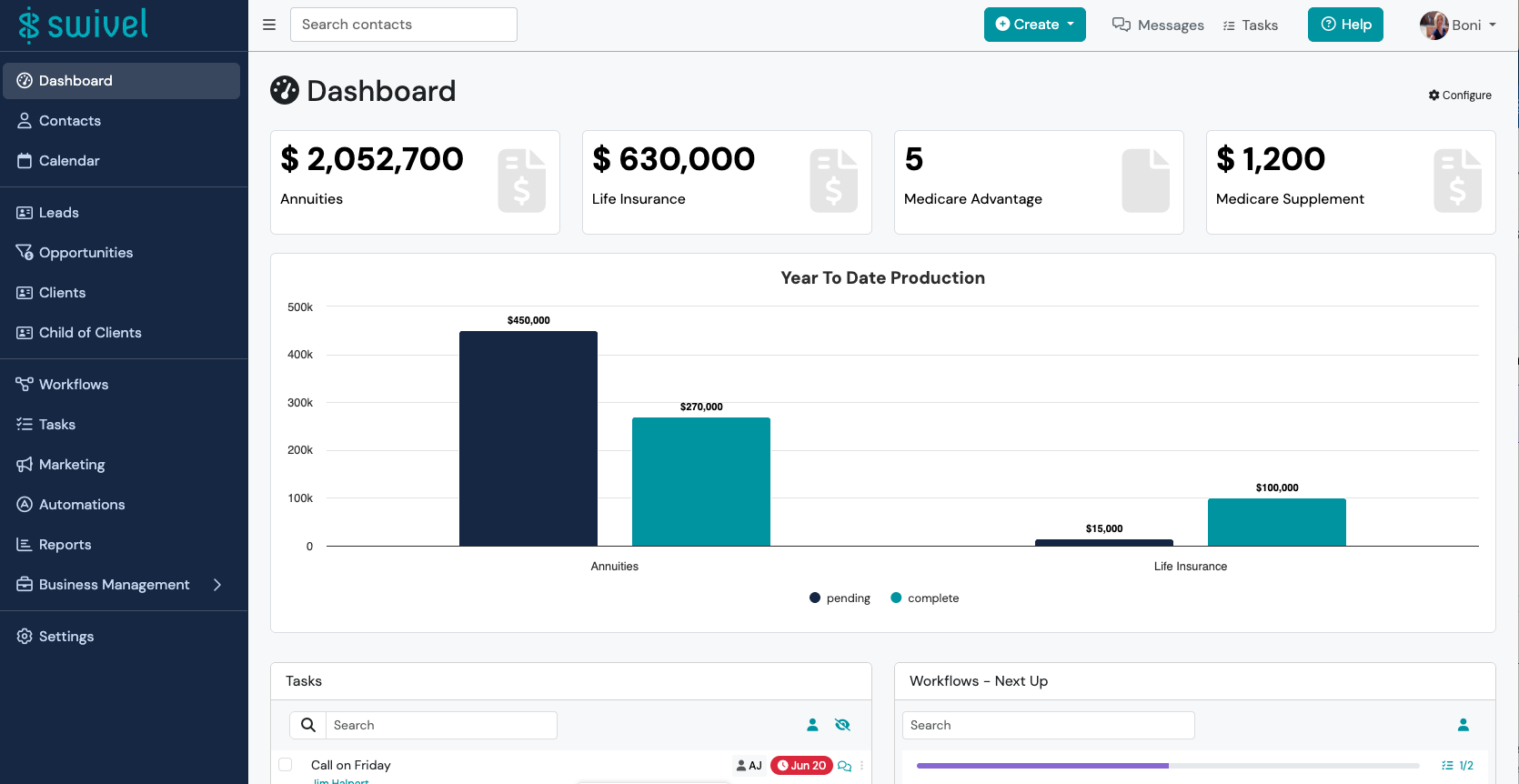
Section titled “Dashboard Widgets”A dashboard widget is like a mini-app within the Swivel dashboard that makes it easier to access certain information such as your upcoming appointments, tasks, and more.
Available Dashboard Widgets
Section titled “Available Dashboard Widgets”Swivel currently supports: Lifetime Production and/or Lifetime Production per Product Line (e.g. Annuities, Life Insurance, etc.), Yearly Production, Monthly Production, Weekly Production, Production Goals, Events And Appointments, Tasks, Workflows, and Transactions.
Swivel Navigation Menu
Section titled “Swivel Navigation Menu”Using the Swivel Navigation Menu allows you to quickly navigate through the system. This allows you to easily view and manage contacts, run reports, and customize your account.
Dashboard
Selecting this tab will take you back to your main dashboard.
Contacts
Displays a full list of your Contacts, including access to the Engagement Bar (Emails, Texts), Contact Lists, and the Import feature.
See also: Contacts Collection
Calendar
Allows you to view and manage all connected user calendars within your account including events and appointments.
See also: Appointments & Calendar Collection
Leads
Displays a filtered view of contacts with the Lead Contact Category. Also includes access to the Engagement Bar (Emails, Texts), Contact Lists, and the Import feature.
See also: Add and Manage Contact Categories article, Contact Lists Collection, and Imports Collection.
Opportunities
Allows you to view, filter, and manage your agencies opportunities.
See also: Opportunities & Sales Pipelines Collection.
Clients
Displays a filtered view of contacts with the Client Contact Category. Also includes access to the Engagement Bar (Emails, Texts), Contact Lists, and the Import feature.
See also: Add and Manage Contact Categories article, Contact Lists__Collection, and Imports Collection.
Workflows
Allows you to view, filter, and manage workflows and access the workflow template builder to create and customize workflows for your business.
See also: Workflows Collection.
Marketing
Launches the Marketing Management view where users can create Campaigns and Events.
See also: Marketing Collection.
Reports
System generated Reports including: Birthday Report, Annual Reviews Report, Agent Commissions Report, Sales Report, Product Report, Account Transactions, Duplicate Contact Report, PII Report, Bounced Emails Report, Imports Report, and Screenshare Report.
See also: Reports Collection.
Business Management
Navigates to additional tools including: Agent Goals, Carriers & Institutions, Vendors, and Documents.
See also: Business Management Collection.
Settings
Takes you to system configuration and management for your entire system including Profile, Calendar & Email Sync, Manage Texting, Email Accounts, Billing, Account, Data Setup, Custom Fields, and Advanced Setup.
See also: Settings Collection, and Advanced Setup Collection.
🙋 Dashboard FAQs
Section titled “🙋 Dashboard FAQs”How do I turn on and off the Dashboard Widgets?
Section titled “How do I turn on and off the Dashboard Widgets?”You can choose what widgets to display by navigating to the top right corner (below your name) and clicking the blue gear Configure button. Check or un-check the widgets from the drop down list.
-
From your dashboard, navigate to the top right corner and select the Configure

-
From the slide-out, select the widgets that you want displayed.