

Email Campaigns
Disable Email Accounts
The Disable Email Account feature can be used to immediately stop any outbound emails from you account including broadcast emails.
To access the Disable Email Accounts feature:
Section titled “To access the Disable Email Accounts feature:”-
From the main navigation menu, > click Settings.
-
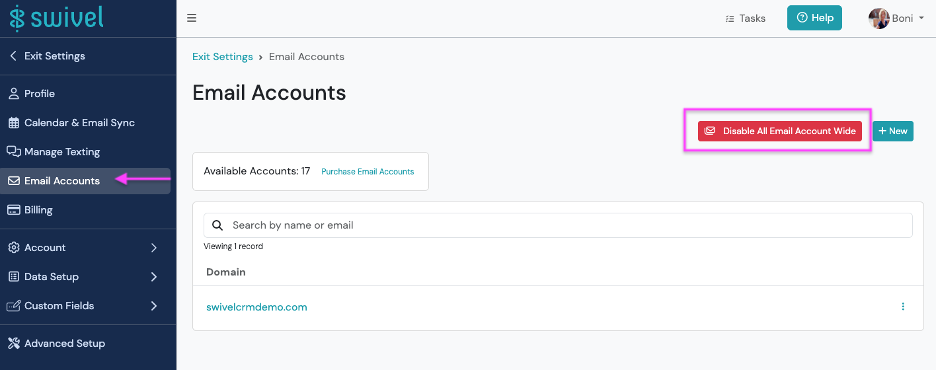
Next > click Email Accounts and then > click the Disable All Email Account Wide button.
-
Click the Disable Account button from the Disable Account Email pop-up window to confirm.