

Create & Configure
Create & Manage Workflow Templates
Create workflow templates to standardize repeatable processes, assign responsibilities, and automate processes across contacts, products, opportunities, appointments, and more.
What Are Workflow Templates?
Section titled “What Are Workflow Templates?”Workflow Templates are predefined processes made up of sequential steps designed to help teams complete repeatable tasks consistently.
Common uses include:
Section titled “Common uses include:”- New client onboarding
- Lead qualification
- Service requests
- New applications
- Appointment follow-up
- Event planning
- Policy delivery
Workflow Templates can be:
- Manual → Started by a user
- Automated → Triggered by a specific action in Swivel
Once published, workflow templates become available for users to run or trigger automatically.
Access Workflow Templates
Section titled “Access Workflow Templates”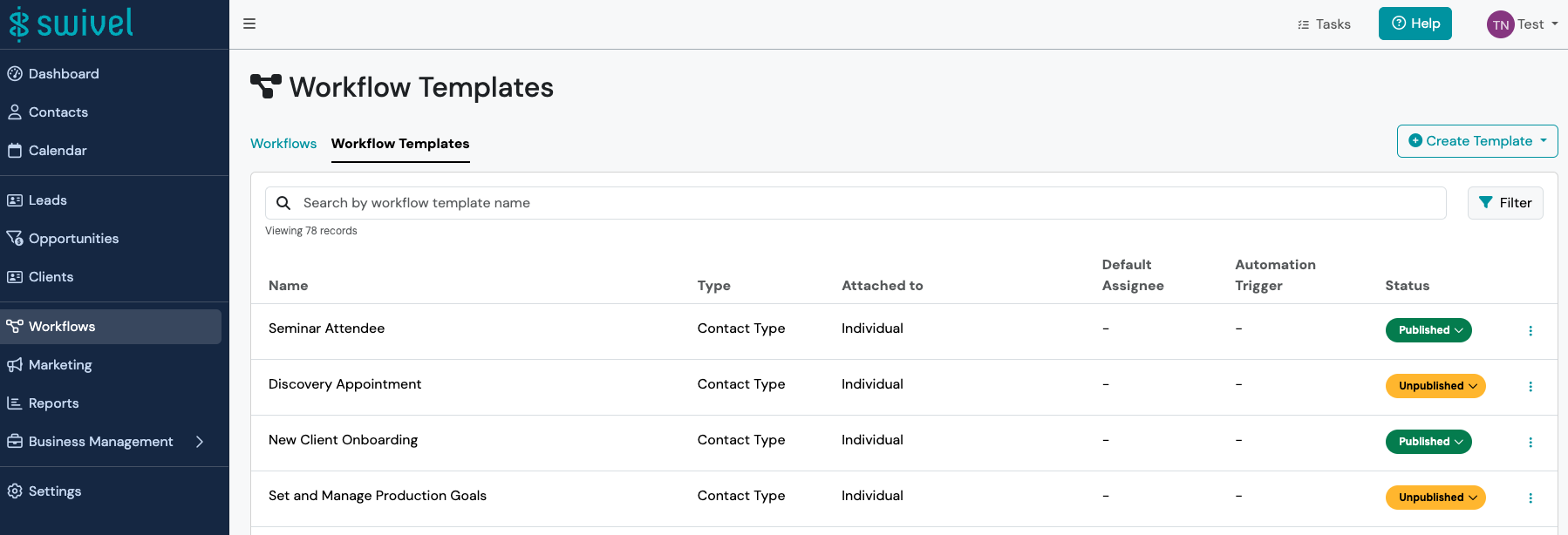
- From the left-side navigation menu < click the Workflows tab.
- Click Workflow Templates to view all available workflow templates, or < click +Create Template button to begin building a new workflow template.
Create New Workflow Template
Section titled “Create New Workflow Template”-
From the left-side navigation menu < click Workflows > click Workflow Templates
-
Click the +Create Template button and select where the workflow will be attached.
-
Follow the New Workflow Template wizard
-
Attach to required
-
Name required
-
Description
-
Default Assignee
-
Position
-
Advanced Options:
- Automation Trigger: select if you want the workflow to automatically run based on the selected action (i.e. create opportunity, update sales stage, etc.)
- Automatically complete workflow when all steps are complete: Automatically close an activated workflow once all steps are complete. This setting is enabled by default. When disabled, the workflow will remain open and prompt the user to close manually by clicking the Complete workflow button.
- Automatically start scheduled workflows at specified start date
- Force sequential step progression
- Expires
-
Click Next
-
Add workflow steps
- Name
- Duration
- Depends On
- Responsible
- Required
-
Click Save if you want this to remain in draft form
-
Click Publish if you are ready for this workflow to be made available to all users.
-
Workflow Templates can be created for the following objects:
Section titled “Workflow Templates can be created for the following objects:”- Contact Types
- Pipelines & Sales Stages
- Appointment Types
- Products
- Campaign Types
- Channel Types
- Event Types
- Compensation Types
For example, if you wanted to implement workflows to support your new client onboarding process, you would create a Contact Type workflow template.