Marketing & Sales
Channel Types
What are Channel Types?
Section titled “What are Channel Types?”Channel Types refer to the different avenues to connect with your target audience. These channels can include things like email newsletters, marketing emails, and even text messages.
For example, your account is pre-configured with the following channel types:
- Annual Review Email
- Text
Adding Channel Types
Section titled “Adding Channel Types”-
From the left-side main menu, click the Settings tab > Advanced Setup
-
Go to Marketing & Sales section > click Channel Types
-
From the Channel Types page > click New button

-
Complete the New Channel Type form
-
Name
-
Description optional
-
Delivery Style
- Direct Mail*
- Text Message
-
Click Save
-
Editing Existing Channel Types
Section titled “Editing Existing Channel Types”-
Select the Chanel Types section
-
Go the Action Menu
 > select Edit for the chanel type you wish to edit.
 -
Complete the Edit Channel Type form
-
Name
-
Description Optional
-
Delivery Style
- Direct Mail*
- Text Message
-
Click Save
-
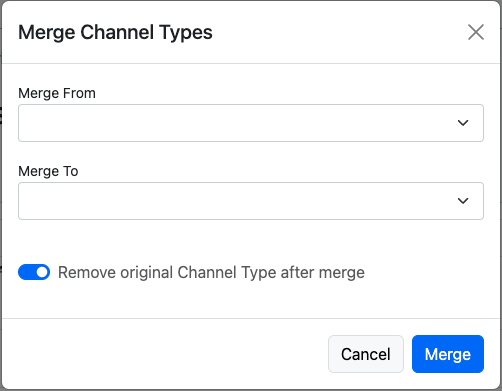
Merge Channel Types
Section titled “Merge Channel Types”-
From the left-side main menu, click the Settings tab > Advanced Setup
-
Select the Marketing & Sales section > click Channel Types
-
From the Channel Types page > click

-
Complete the Merge Lead Sources form
- Merge From
- Merge To
- Remove original Channel Type after merge recommended
- Click Merge.