Vendor
Cost Types
Advanced Setup options to configure Cost Types.
What are Cost Types?
Section titled “What are Cost Types?”Cost Types refer to different categories or classifications of expenses. These categories help organize and track expenses for accounting, budgeting, and financial analysis purposes.
For example, your account is pre-configured with the following cost types:
- Advertising
- Compliance
- Food & Beverage
Adding Cost Types
Section titled “Adding Cost Types”-
From the left-side main menu, click the Settings tab > Advanced Setup
-
Go to Vendor section > click Cost Types.
-
From the Cost Types page > click +New button

-
Complete New Cost Type form pop-up window.
- Type*
- Name
- Description optional
- Click Save
Edit Existing Cost Types
Section titled “Edit Existing Cost Types”-
From the left-side main menu, click the Settings tab > Advanced Setup
-
Go to Vendor section > click Cost Types
-
Go the Action Menu
 > select Edit for the Cost Type you wish to edit.
 -
Complete the Edit Cost Type form
- Type*
- Name
- Description optional
- Click Save
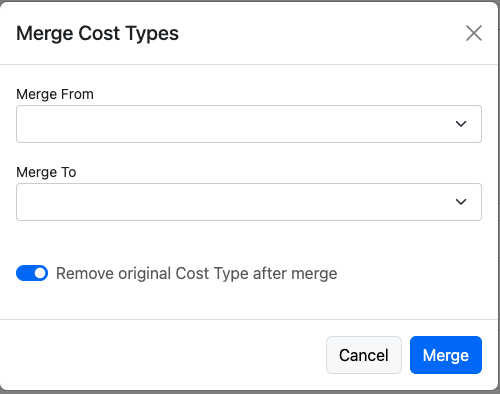
Merge Cost Types
Section titled “Merge Cost Types”-
From the left-side main menu, click the Settings tab > Advanced Setup
-
Select the Cost Types section
-
From the Cost Types page > click

-
Complete the Merge Cost Types form
- Merge From
- Merge To
- Remove original Lead Source after merge recommended
- Click Merge