

Relationships & Advanced Contact Structure
Manage Contact Relationships and Households
View Associations
Section titled “View Associations”What is View Associations?
Section titled “What is View Associations?”The View Associations button  is where you manage and view contact relationships such as their Spouse, Child, and other contacts associated to a specific contact.
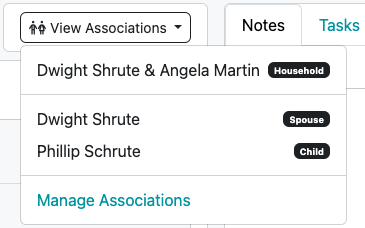
How to Manage Associations
Section titled “How to Manage Associations”-
Navigate to the desired contact
-
Click the View Associations button > click Manage Associates
-
Complete the Manage Associates slide out
-
Attach Spouse
-
Attach Company
-
Attach Attorney
-
Attach Accountant
-
+Add button (used to create additional associations such as child, parent, etc.)
- Relationship
- Contact
-
-
Click Close
Once you have created a Spousal association between contacts, the Household view will be created.
Video Tutorial: View Associations
Section titled “Video Tutorial: View Associations”Once you have created a Spousal association between contacts, the Household view will be created.
Household View Page 🏠
Section titled “Household View Page 🏠”After you have linked contacts together using the View Associations feature, the Household View page is created. This Household view allows you to view all contact information in one page including names, contact information, and other key personal information like Social Security Numbers and Dates of Birth.
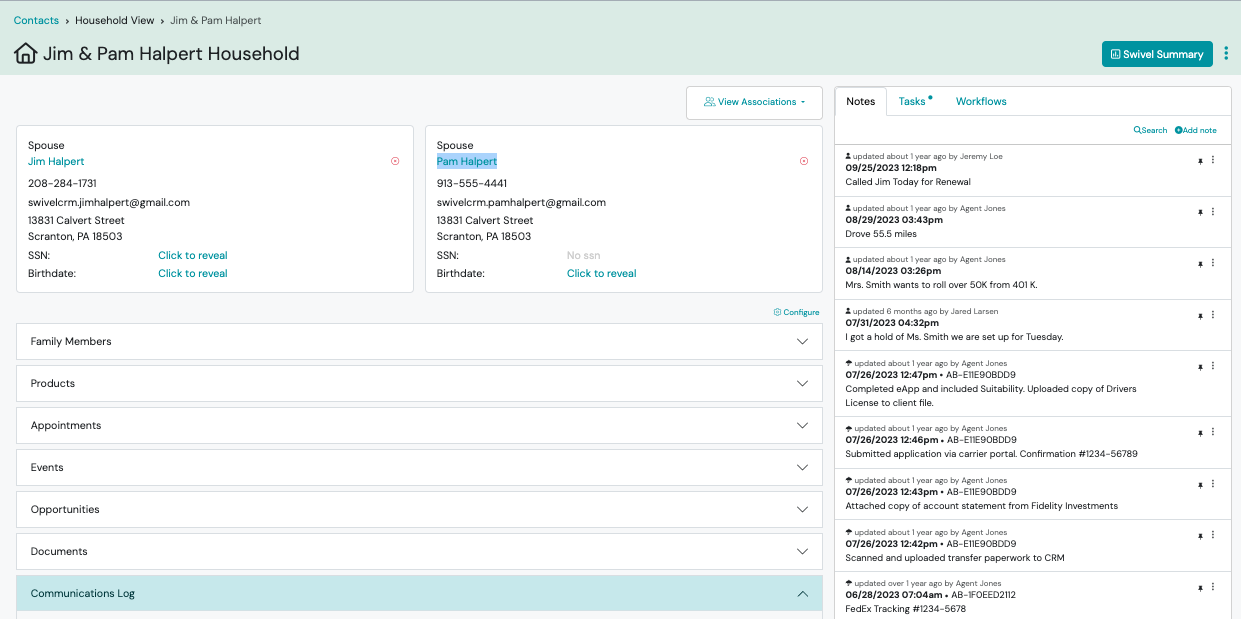
How to Access Household View
Section titled “How to Access Household View”- Once you have created an association for the desired contact, > click the View Associations button and select the contact information with the Household badge (i.e. Jim & Pam Halpert).
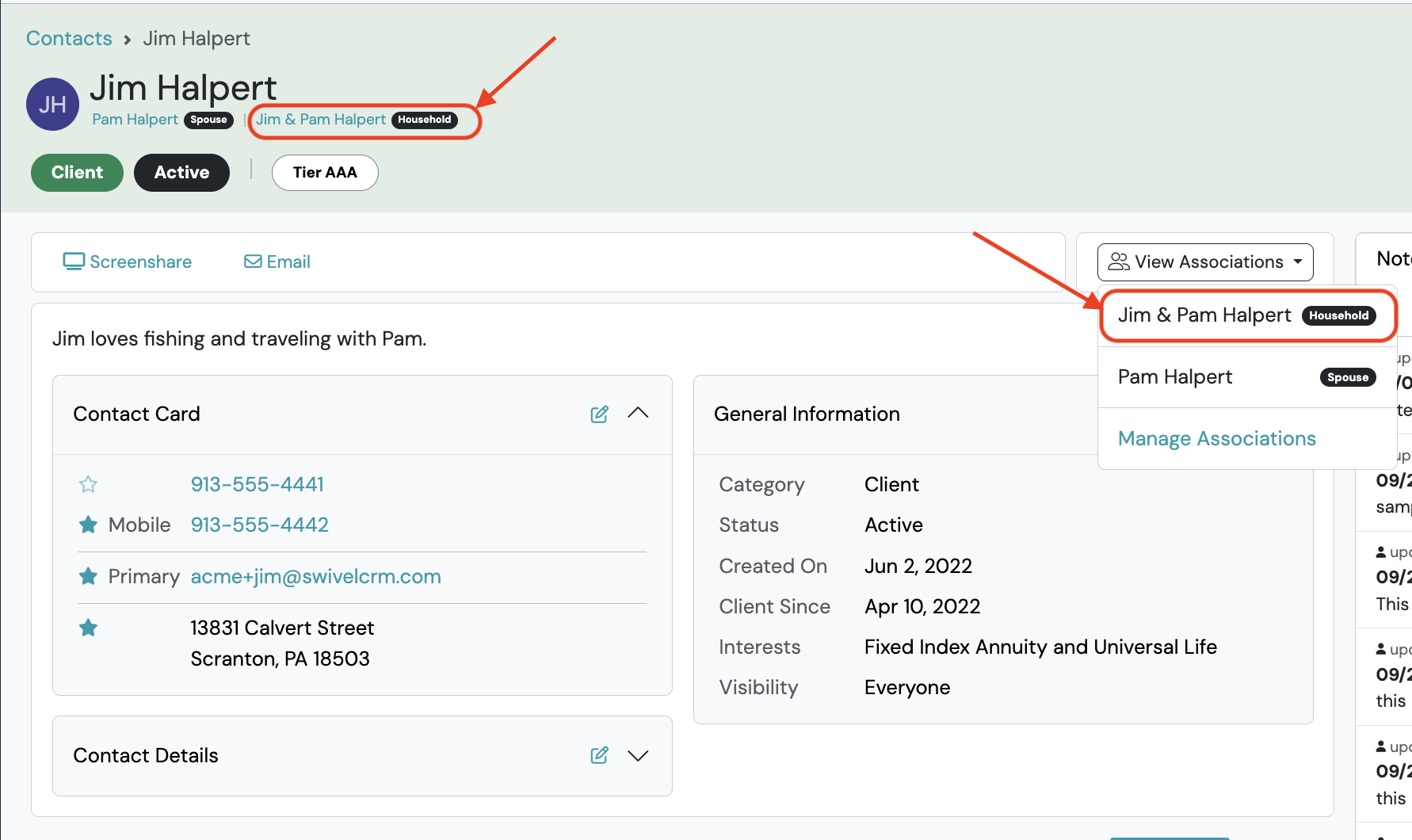
Secure Display of Sensitive Data
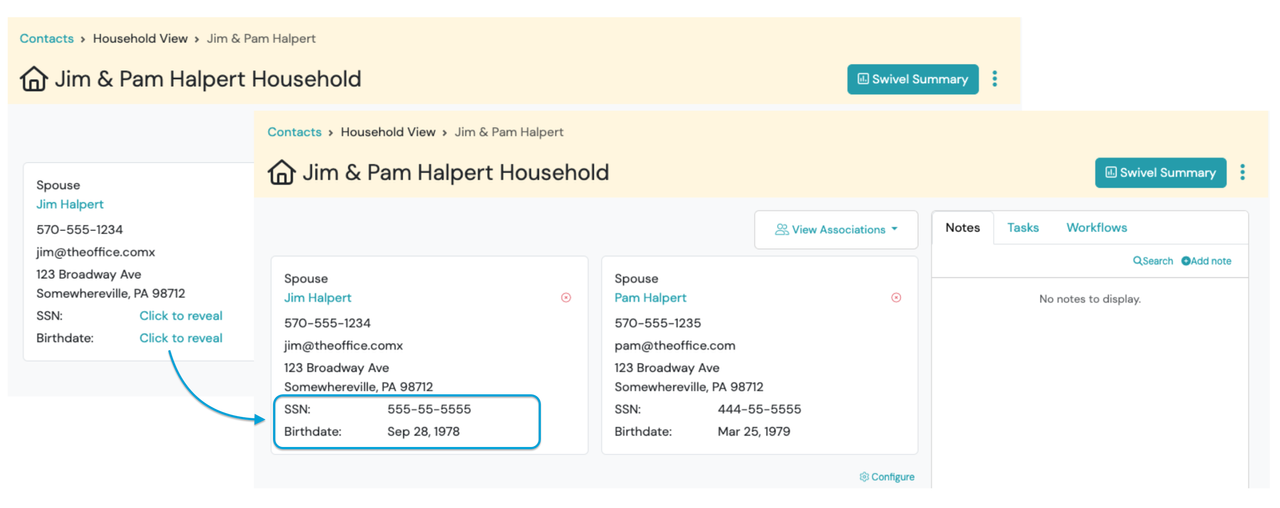
Section titled “Secure Display of Sensitive Data”To ensure security while providing convenience, Date of Birth and SSN will be hidden by default. Users can choose to show this information by clicking Click to Reveal.
PII Report and Automatic Logging
Section titled “PII Report and Automatic Logging”Each time a user accesses Date of Birth and/or SSN, a log will be recorded on the PII Report. Owner and Manager roles have access to the PII Report.
FAQs: Households
Section titled “FAQs: Households”Can I run a Report to see how many Households I have?
To see how many household you have in Swivel, you will want to pull a full contact export. Then you can use the column titled “Household Name” and clear out the remainder of the data. From here, use the excel “Remove Duplicates” feature to remove duplicate households. The # of rows shown is your number of households.