Email Domains
Connect Email Domain
The Email Domain navigation item is available to users with the Owner and/or Manager role, and allows you to generate CNAME records to add to your domain (or website). Integrating your website with Swivel’s email marketing function has several benefits including improved deliverability.
Why is this step necessary?
Section titled “Why is this step necessary?”It is import to complete this step to verify your ownership of the domain you are integrating with Swivel. This process is essential for ensuring the optimal deliverability of your emails by enhancing email delivery rates and helps protect your sender reputation.
The set-up can vary by domain host. Please reference the below links for additional information or reach out to your domain host directly.
Add Your Email Domain
Section titled “Add Your Email Domain”-
From the main navigation menu, click Settings > Communication.
-
Select Email Domains.
-
Click the +New button and type your domain or website in the slide-out.
-
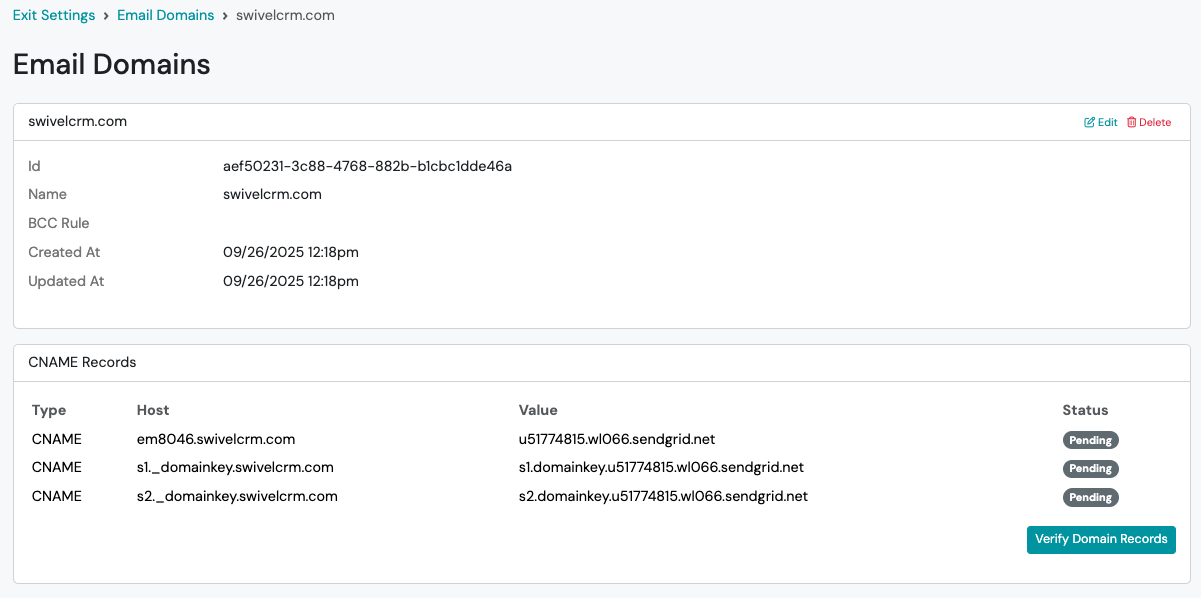
Once you have entered your website, Swivel will generate the correct CNAME records to add to your website.
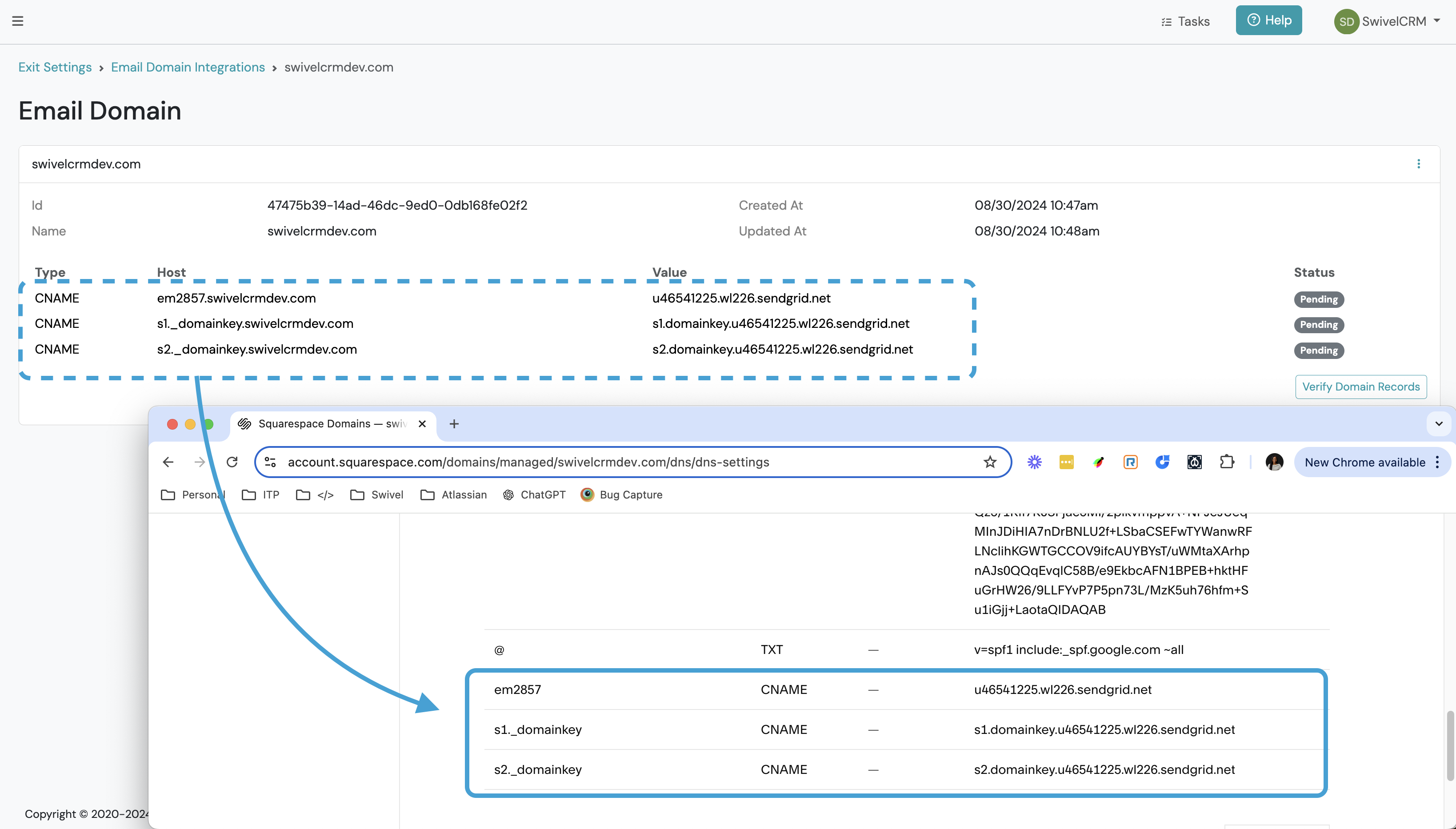
*Note: make sure to delete your domain from the records as pictured above. (ex. em2857.swivelcrmdev.com is entered as em2857)
-
Once the DNS records have been successfully added to your website > click the Verify Domain Records button in Swivel.
-
When the status updates from pending to Verified, you’re ready to begin sending broadcast emails directly from Swivel.
Frequently Asked Questions
Section titled “Frequently Asked Questions”How long does it take to verify?
Section titled “How long does it take to verify?”It depends on your domain host, but typically it takes anywhere from 1 hour to 24 hours.
Do I need to add an Unsubscribe message?
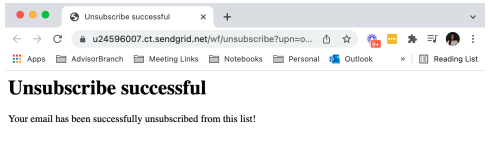
Section titled “Do I need to add an Unsubscribe message?”To allow Swivel email recipients to unsubscribe from future emails, we enable subscription tracking for your email domain, and automatically include an unsubscribe option at the bottom of your message. When a recipient clicks the unsubscribe hyperlink, they are re-directed to a confirmation page. Their contact record will display a blocked icon next to their email address and they will be suppressed from future mailings.