

Email Templates
Sending Templated Email
Using Templates for one-on-one emails
Section titled “Using Templates for one-on-one emails”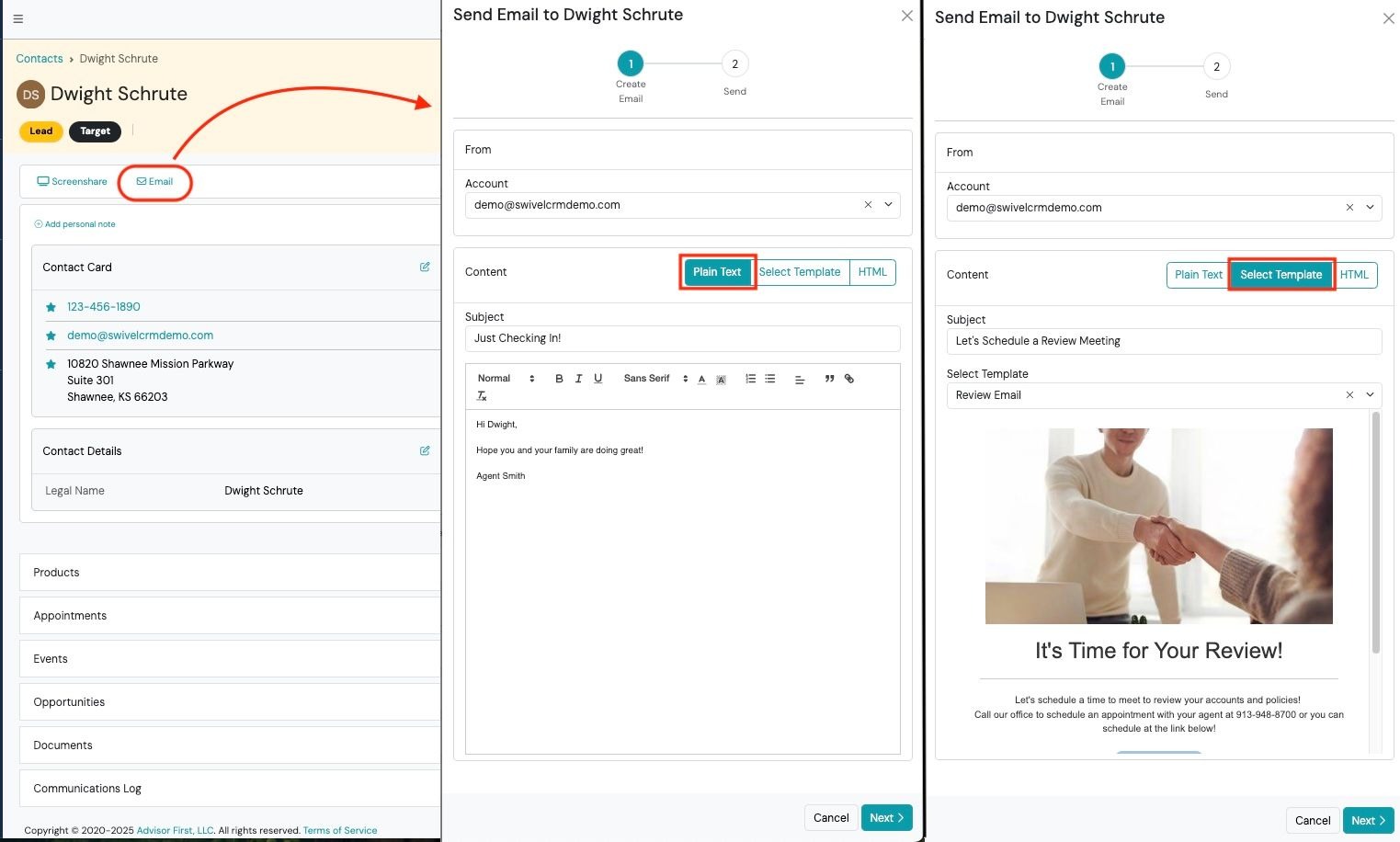
Send Emails
Section titled “Send Emails”- Navigate to the Contact and < click the Email button in the engagement bar.
- Complete the email wizard and using the Select Template button and choosing the desired template.
- Click Next and confirm the Send.