

Email Options
Add Email Signature
Learn how to create and use an email signature when sending emails to your contacts.
Users can add an email signature to their connected email account.
How to Create an Email Signature
Section titled “How to Create an Email Signature”-
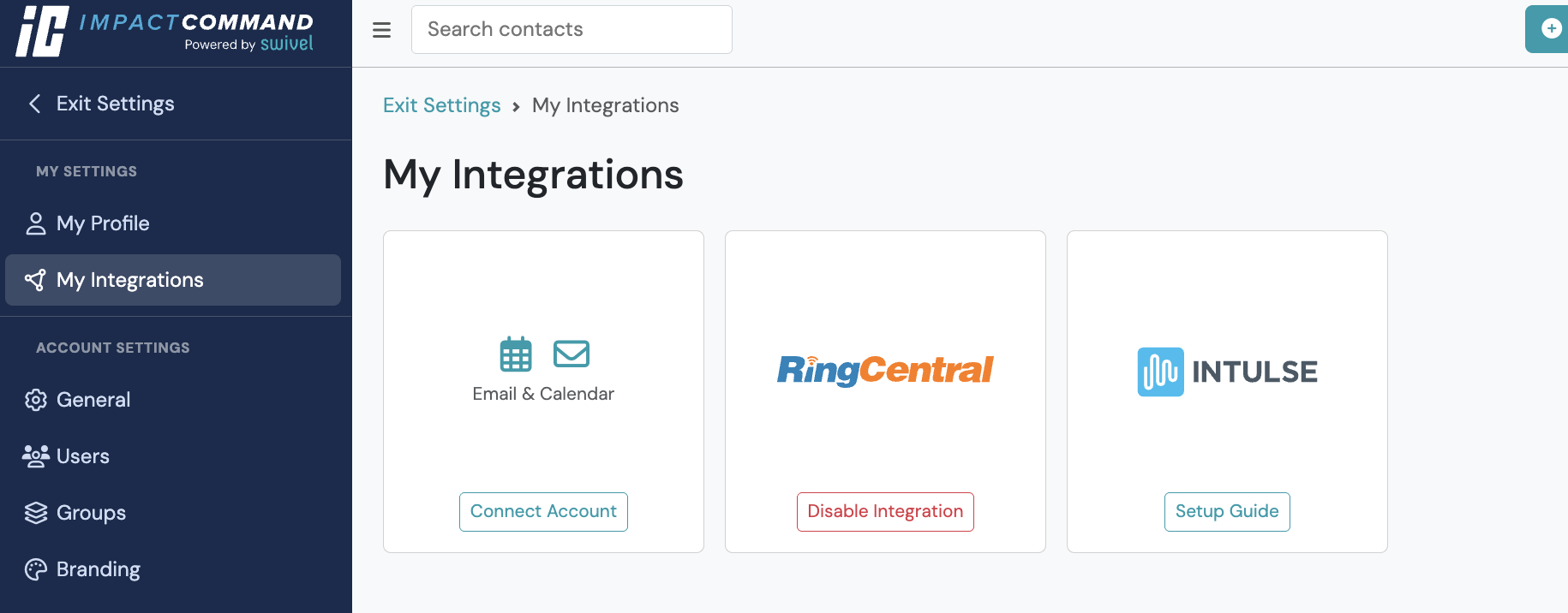
From the left-hand Main Navigation Menu select Settings > click My Integrations, and > click Email & Calendar
-
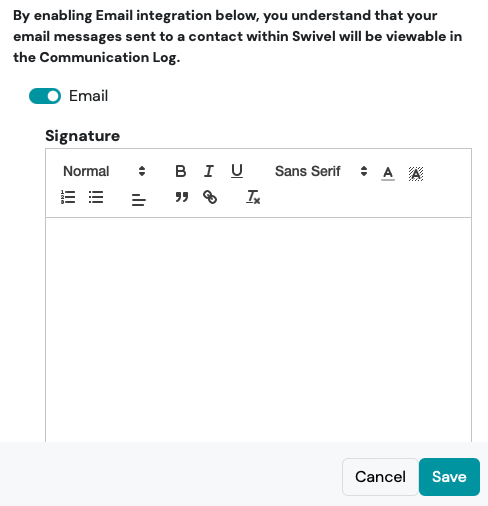
Click the Gear Icon and complete the Signature section
-
Click Save
How to Add an Email Signature to an Email
Section titled “How to Add an Email Signature to an Email”-
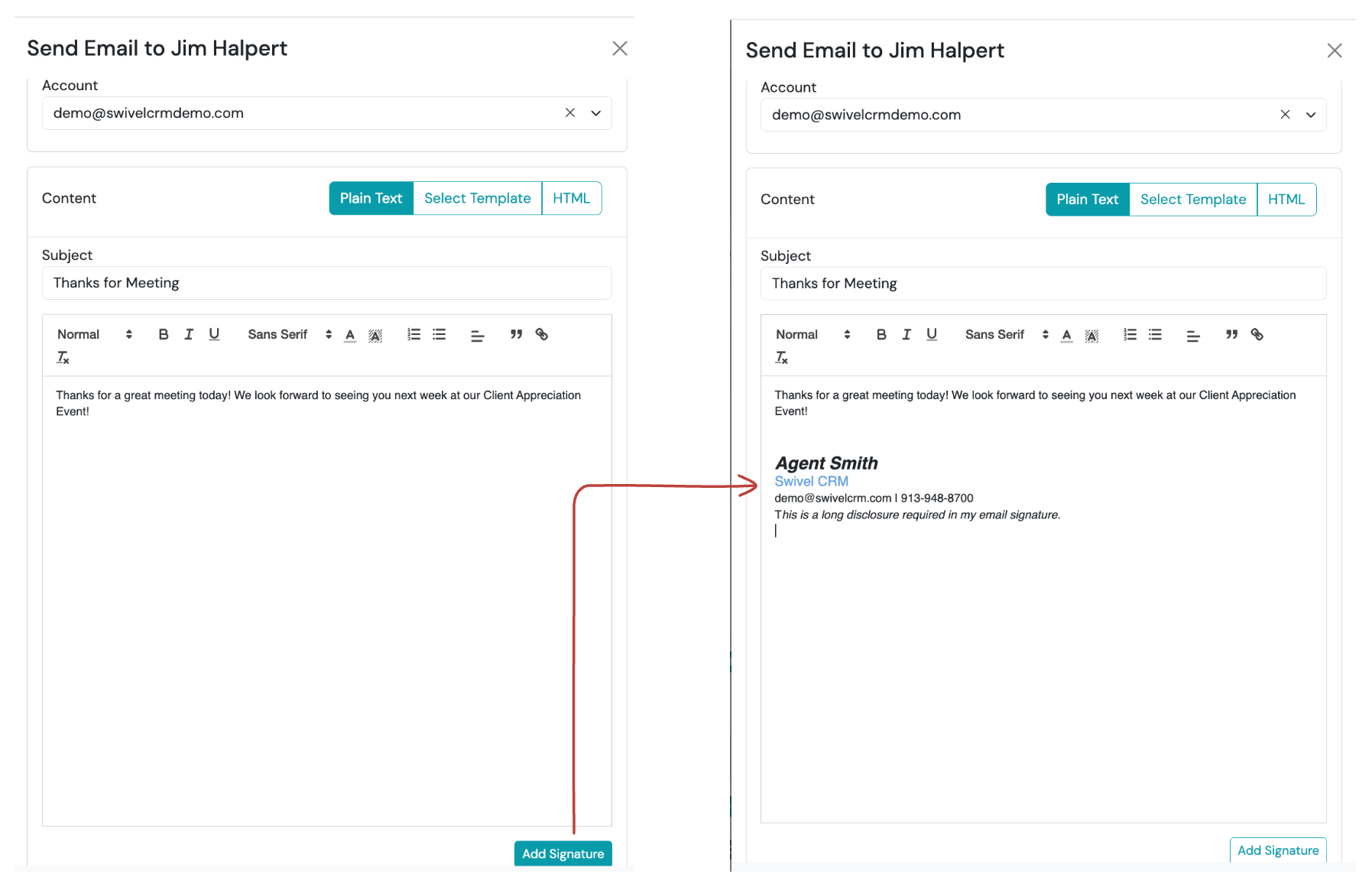
After composing your email > click the Add Signature button.
FAQs - Email Signatures
Section titled “FAQs - Email Signatures”Can I add my picture to my email signature?
At this time email signatures do not support images.
Can I insert a link to my website?
Yes! Click the hyperlink button in the format bar to create the hyperlink.
Can I add disclosures to my signature?
Yes! The email signature has a rich-text editor that allows you to change font size, italicize, etc.
Do all users need to create their own email signature?
Yes. The email signatures are unique to the user.