

Getting Started
Create a Contact List
Contact Lists help you organize and engage groups of contacts in Swivel. You can create lists manually, from filtered contacts, or directly from reports and opportunities.
Swivel supports two list types:
- Dynamic Lists: automatically update based on filter criteria
- Static Lists: fixed snapshots that only change when manually updated
When to Use This
Section titled “When to Use This”Use Contact Lists when you need to:
- Send broadcast email or text campaigns
- Organize event attendees
- Build call-down or outreach lists
- Create targeted marketing audiences
- Track engagement progress
- Save filtered groups of contacts for future use
Create a List from Contacts
Section titled “Create a List from Contacts”You can create either a Dynamic or Static List directly from the Contacts Tab.
-
From the left-side navigation menu, click Contacts
-
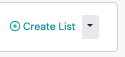
Click the drop-down arrow by +Create List
-
Select New Dynamic List or New Static List
-
Complete the List slide-out form using Contact and/or Product Filters OR if it is a Static List, you can leave filters blank and add contacts manually
-
Click Save
Create Static List from Opportunities
Section titled “Create Static List from Opportunities”You can quickly convert filtered Opportunities into a Static List for outreach or follow-up.
-
From the left-side navigation menu, click Opportunities
-
Apply any desired filters
-
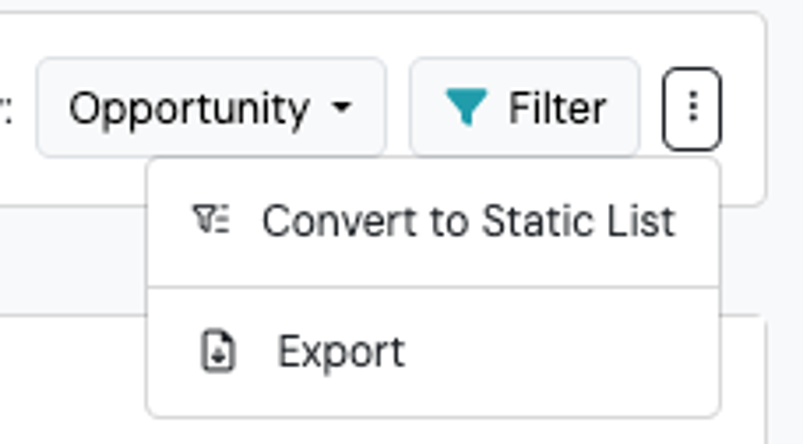
Click the ⋮ three-dot action menu (next to the Filter button)
-
Select Convert to Static List
-
Enter the List Name
-
Click Save
Create a List from Reports
Section titled “Create a List from Reports”Many Swivel Reports support converting filtered results into Contact Lists.
This is useful when you want to take action on a filtered dataset such as:
- Product Holders
- Upcoming Birthdays
- Referral Groups
- Managing Agent Comps
- Open the desired report
- Apply the desired filters
- Click the ⋮ three-dot action menu
- Select Convert to Dynamic List or Convert to Static List
- Enter the List Name
- Click Save
Report Conversion Options
Section titled “Report Conversion Options”| Report Type | Dynamic List | Static List |
|---|---|---|
| Sales Report | No | Yes |
| Appointment Report | No | Yes |
| Compensation Report | No | Yes |
| Product Report | Yes | Yes |
| Birthday Report | Yes | Yes |
| Referrer Report | Yes | Yes |
What Happens Next
Section titled “What Happens Next”After creating a Contact List, you can:
- Send braodcast emails
- Send broadcast text messages
- Export contacts
- Track outreach with dispositions
- Create appointments
- Create opportunities
- Create products
- Perform 1-to-1 outeach
Best Practices
Section titled “Best Practices”Use descriptive list names
Section titled “Use descriptive list names”Choose names that clearly identify the audience or purpose.
Use Dynamic Lists for ongoing campaigns
Section titled “Use Dynamic Lists for ongoing campaigns”Dynamic Lists work best for recurring outreach where contacts should automatically flow in and out based on criteria.
Use Static Lists for fixed outreach groups
Section titled “Use Static Lists for fixed outreach groups”Static Lists are best when you need a predictable audience that will not change before sending a campaign.