

Contact Support Team
Need Help? Here's How to Contact Support!
We’re here to help! Whether you have a quick question or need some in-depth assistance, here’s how you can reach us.
Getting Help with Swively
Section titled “Getting Help with Swively”Need help? Swively is available 24/7 right inside Swivel.
How to use Swively
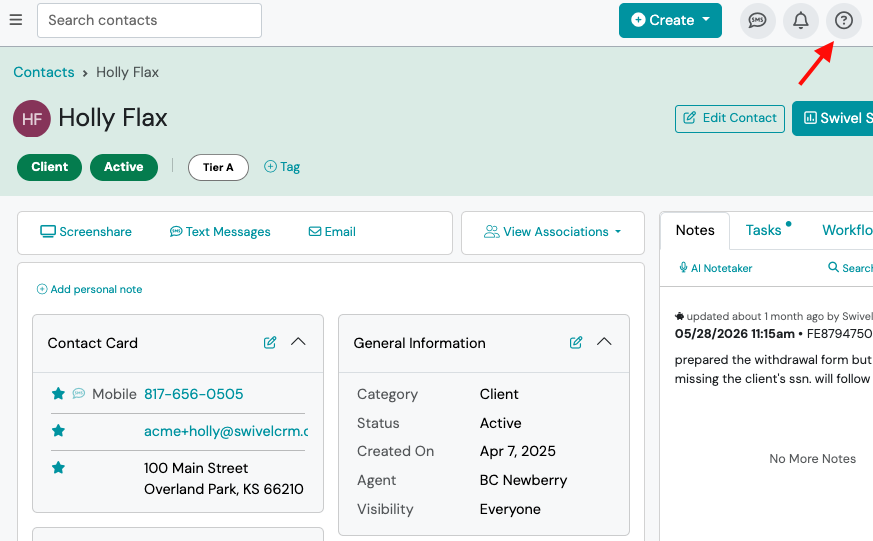
Section titled “How to use Swively”- Click the ? (Help) icon in the top-right corner of Swivel
- When Swively opens, choose the message button at the bottom of the screen, then “ask a question”, then choose whether your question is about Swivel CRM or Swivel Sync.
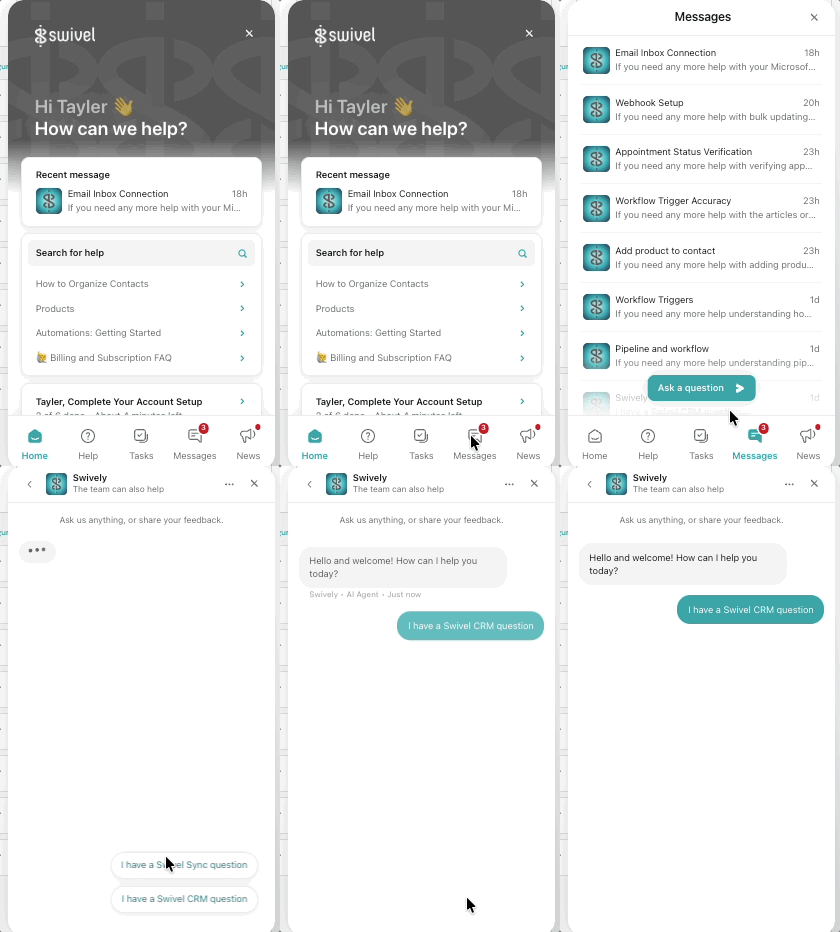
- Type your question into the chat, just like you would ask a teammate.
- Follow the step-by-step guidance or open any recommended Help Center articles.
- If Swively can’t fully resolve your question, continue the conversation to connect with our Customer Success team.
Tips for the best results
Section titled “Tips for the best results”- Ask complete questions (for example, “How do I create an automation?” instead of “Automation.”)
- Include the feature you’re working with.
- If you’re troubleshooting, explain what you expected to happen and what actually happened.
Examples
Section titled “Examples”- How do I import contacts?
- Why isn’t my calendar syncing?
- How do I add a new user?
- How do I create an event reminder?
How to Contact Swivel Support
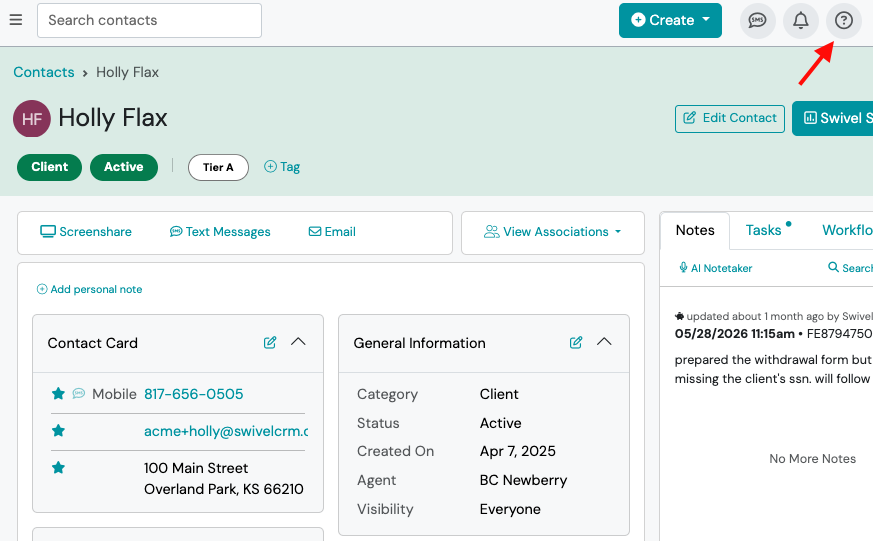
Section titled “How to Contact Swivel Support”Once you’re logged into Swivel, click the ? (Help) icon in the top-right corner to open your in-app support center.
From there, you can chat with Swively, browse the Help Center, or submit a support ticket if you need additional assistance.
💬 Ask a question
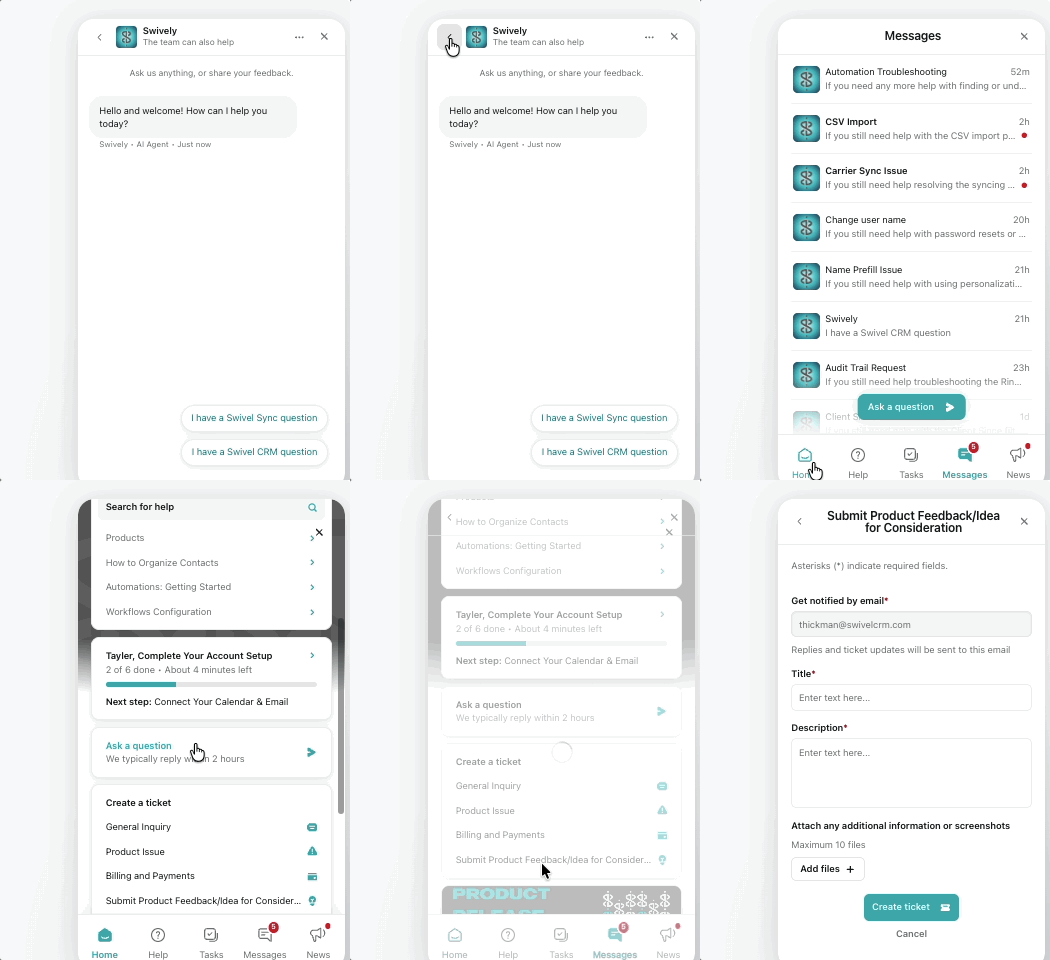
Section titled “💬 Ask a question”- Click the Ask a Question option and type in your question. Be as specific as possible so we can get you the right info quickly.
- Available: Monday-Friday, 9 AM- 5PM CST (excluding holidays).
🎟️ Create a ticket
Section titled “🎟️ Create a ticket”- Scroll to the Create a ticket section and select the type of ticket you wish to submit (General Inquiry, Product Issue, Billing & Payments, or Submit Product Feedback).
- Complete the pop-up field including your email, title of ticket, and description. Be as specific as possible so we can make sure we get your ticket to the right department.
📞 Call us
Section titled “📞 Call us”- If you need to talk to a real person, call us at 913-948-8700 x 2
- Available: Monday-Friday, 9 AM- 5PM CST (excluding holidays).
📩 Email us
Section titled “📩 Email us”- Prefer email? No problem! send us a message at support@swivelcrm.com, and we’ll respond within one business day.